
OP Auto Clicker - Auto Tap
for Windows- Name OP Auto Clicker - Auto Tap
- Category Utilities & tools
- Downloads 79,000,000+
- Developer Auto Clicker
- Available on PC
- OS Windows 10 version 17763.0 or higher
- Architecture x64
Pros
1. Time-Saving: Enables users to automate repetitive clicking tasks, reducing manual effort and increasing efficiency in operations that require constant clicking, like gaming or data entry.
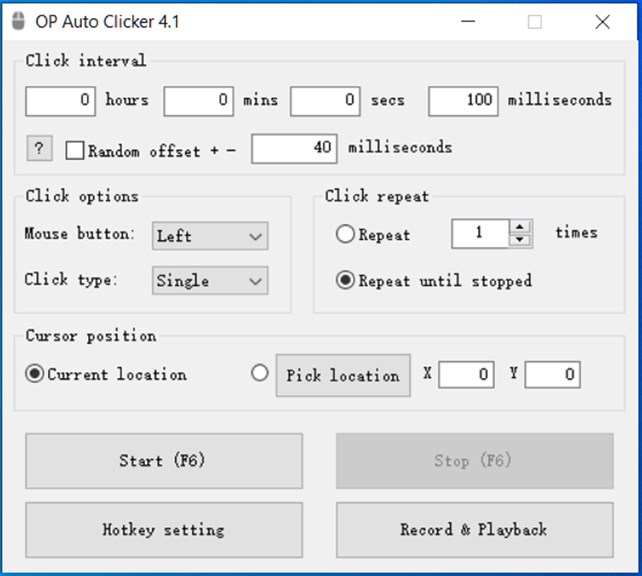
2. Customization: Offers customizable settings such as click intervals, click types (left, right, middle buttons), and the number of clicks, allowing for tailored automation to specific tasks and user preferences.
3. User-Friendly: Features a simple and intuitive interface, making it easy for individuals of all skill levels to set up and use without complex configurations or steep learning curves.
Cons
1. Potential Ban Risk: Using OP Auto Clicker in online games can be detected by cheat detection systems, potentially resulting in a ban from the game.
2. Limited Features: OP Auto Clicker offers basic functionality, which may not satisfy users looking for advanced features like recording click sequences or scheduling clicks.
3. No Scripting Support: The software lacks scripting capabilities, preventing users from writing custom scripts for more complex automation tasks beyond simple clicking.


