
PowerDirector 365 - Video Editor, Movie Maker
for Windows- Name PowerDirector 365 - Video Editor, Movie Maker
- Category Photo & video
- Downloads 27,000,000+
- Developer CyberLink Corp.
- Available on PC
- Architecture x64
- OS Windows 10 version 0.0 or higher
- Keyboard Integrated Keyboard
- Mouse Integrated Mouse
- Camera Integrated Camera
- Memory 2 GB
- DirectX Version 11
- Processor Intel Core™ i-series or AMD Phenom® II and above
- Graphics Processor 128 MB VGA VRAM or higher





Pros
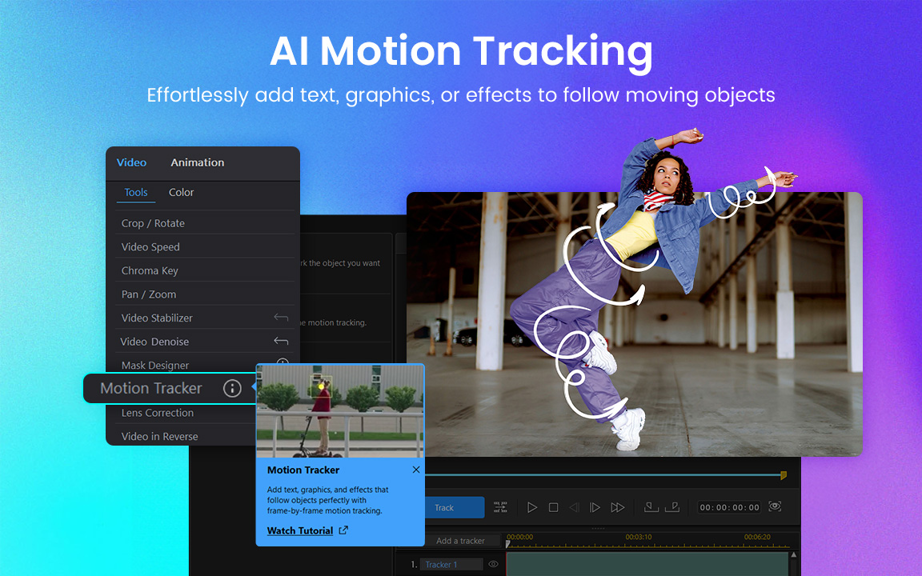
1. Extensive Editing Toolkit: PowerDirector 365 offers a comprehensive suite of editing tools, enabling users to create professional-level videos with effects, transitions, and color correction capabilities.
2. Regular Updates & Features: Subscribers receive frequent updates, which include new features and content packs such as music, sound effects, and themed templates to enhance video projects.
3. Intuitive Interface: Designed for users of all skill levels, PowerDirector 365 has a user-friendly interface that simplifies the editing process, making it accessible for beginners while still providing advanced functions for experienced editors.
Cons
1. Limited Advanced Features: PowerDirector 365 may not satisfy professional editors seeking high-end functionalities. It lacks some of the more complex tools and effects found in industry-standard software like Adobe Premiere Pro.
2. Learning Curve: Beginners may find PowerDirector 365 overwhelming due to its extensive feature set. The interface and plethora of options could be daunting without tutorials or prior video editing experience.
3. Subscription Model: The software operates on a subscription basis, which may not be ideal for users who prefer a one-time purchase. The recurring cost can add up over time, making it more expensive than perpetual license alternatives.


