Christmas Lights Watch Face
- 1.99K
- 4.1
- Installs
- 590.00M
- Version
- Varies with device

Screenshots


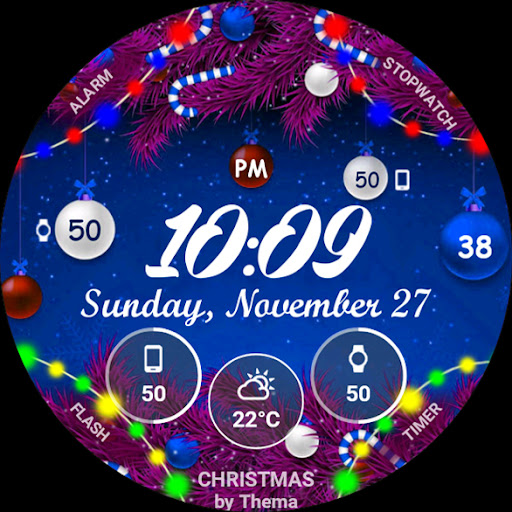

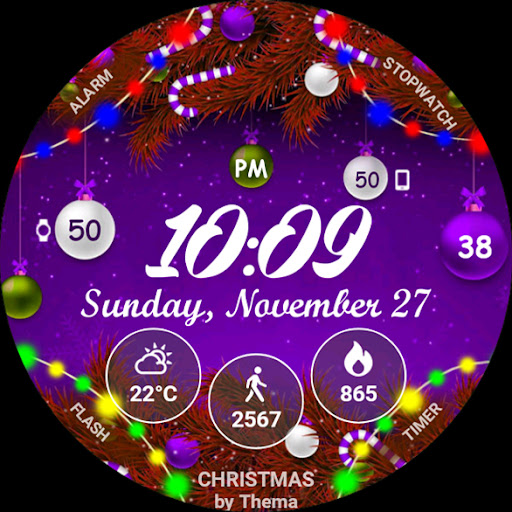


Christmas Lights Watch Face for Wear OS!
Don't have a Wear OS watch? You can still use this watch face as a clock widget on your mobile!
NOT FOR SAMSUNG GEAR S2 / GEAR S3 !! (running Tizen OS)
If you have one, do not install this application.
Features of Christmas Lights Watch Face
- Clock Widget (No second hand due to battery consumption)
- Choose design colors
- Lights animation
- Day & Month
- Watch battery
- Mobile battery
- Weather (requires phone app)
The settings of the watch face are located in the "Wear OS" app of your mobile.
Just hit the gear icon over the watch face preview and the settings screen will show up!
FREE Settings
- Choose design colors on watch & mobile
- Define heartbeat frequency refresh rate
- Define weather refresh rate
- Weather unit
- 12 / 24 hours mode
- Define interactive mode duration
- Choose to switch between small/big/translucent/opaque cards
- Choose the ambient mode b&w and eco luminosity
- Choose between 2 weather providers (Yr & OpenWeatherMap)
- Choose to display a leading zero on hours
- Display brand name or not
- Choose to display or not the seconds dots
PREMIUM Settings
- Choose between 4 animations of lights
- Choose your own title in place of "CHRISTMAS"
- Switch between éco / simple b&w / full ambient mode
- Choose background among different styles
- Blend background with colors
- Define a secondary timezone for digital display
- Data:
Change the indicator to display on the 3 positions
Choose between up to 8 indicators (Daily step count, Heartbeat frequency, Unread Email from Gmail, etc...)
Complication (wear 2.0)
- Interactivity
Access to detailed data by touching a widget
Switch the displayed data by touching a widget
Change the shortcut to execute on the 4 positions
Choose your shortcut among all applications installed on your watch!
Choose to display the interactive areas
- Presets manager:
Save your preset with all its options (colors, backgrounds, data, features. EVERYTHING is saved!)
Load / delete one of your previously saved preset
Share / Import presets
- Define manual or automatic location
Installation
Watch Face
Wear OS 1.X
This watch face will be installed automatically from your phone paired.
If it doesn't show up please go to the Wear OS App > Settings and Resync all apps.
Wear OS 2.X
A notification will be displayed on your watch, right after your mobile installation. You just have to hit it to start the installation process of the watch face.
If the notification did not display for some reason, you can still install the watch face by using the Google Play Store available on your watch: just search the watch face by its name.
Mobile clock widget
Just long press on your launcher, then select the application widget to drop it on your home screen of your mobile.
Customize the widget settings with the application.


